Electronics · Embedded Systems · USB HID
LCD NumPad
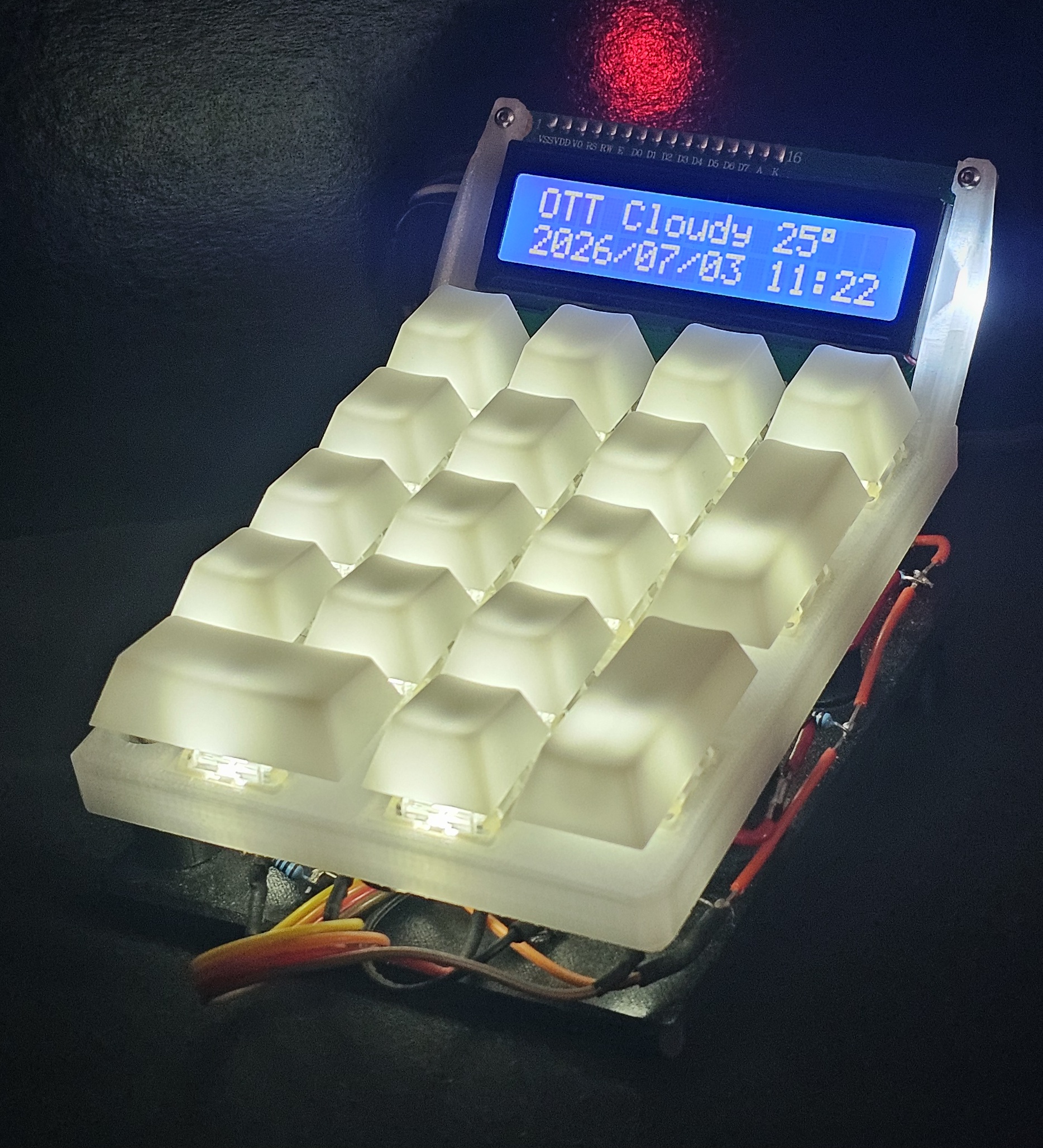
A hand-wired 17-key USB numpad with a 16×2 LCD showing live weather, PC telemetry, and a working calculator.
Overview
The LCD NumPad is a 17-key USB numpad built around a Raspberry Pi Pico W running CircuitPython. It enumerates as a standard HID keyboard, so the host treats it as an ordinary numpad with no drivers or configuration, and a 16×2 character LCD above the keys serves as a live readout.
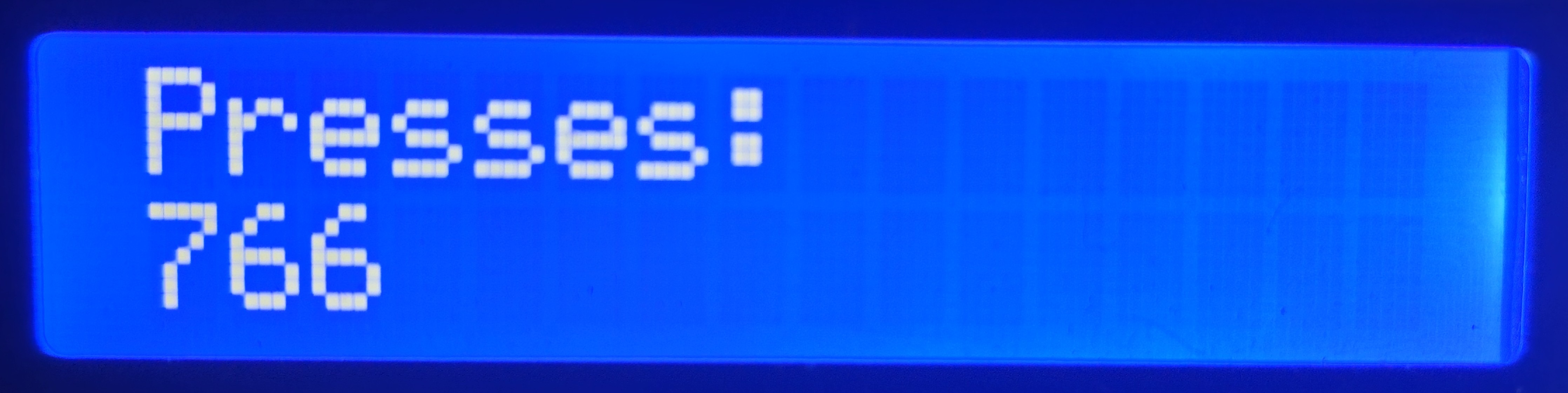
Holding NumLock turns the number keys into a layer selector, switching the display between a clock with current Environment Canada weather, four pages of real-time PC hardware statistics, a calculator with operator precedence, and a lifetime keypress counter. The Pico has no network access and no visibility into the host's sensors, so an optional Python companion on the PC gathers that data and streams it over a second USB serial port alongside the keystrokes. Without it the pad still works as a numpad and calculator.
Everything was designed for this project specifically: a hand-wired 5×4 diode matrix, a two-piece enclosure modeled in Fusion 360 and printed in PETG and translucent polycarbonate, and firmware built around the constraint that a single LCD line write costs roughly 50 ms over I²C.
Specifications
- Microcontroller: Raspberry Pi Pico W (RP2040), CircuitPython 9.2.1
- Input: 17 Gateron KS-9 G Pro Black switches, hand-wired 5×4 matrix with 1N4148 diodes
- Display: 16×2 HD44780 LCD, PCF8574 I²C backpack
- Lighting: 17 discrete white LEDs, PWM brightness, persisted across power cycles
- Enclosure: Fusion 360, printed in PETG and translucent PC on a Bambu Lab X1 Carbon
- Host interface: USB HID (keystrokes) + USB CDC serial (telemetry)
- Companion: Python, Environment Canada API + LibreHardwareMonitor
How It Works
On the device side, matrix scanning and debouncing run in C in the
background through CircuitPython's keypad.KeyMatrix at a
10 ms interval, and the main loop only consumes queued edge events,
so a busy loop delays input rather than dropping it. HID output presses
and releases on those edges, which means the host sees genuinely held
keys and applies its own auto-repeat exactly as it would for any
keyboard.
Time, weather, and PC statistics come from an optional companion script on the PC over a second USB CDC serial port. The protocol is deliberately minimal: newline-terminated ASCII key:value lines, with the Pico as a pure listener and the host broadcasting unsolicited, time on connect and every 30 seconds, hardware stats every 2 seconds, weather every 10 minutes. The RP2040 has no battery-backed clock, so the firmware free-runs on its crystal between syncs and re-anchors on every message, bounding drift to one broadcast interval.
Every data source is allowed to fail independently. Without the companion the pad still types and the calculator still works, the clock shows UNKNOWN until the first sync, weather older than 30 minutes is marked stale, and stats older than 15 seconds display as no data.
Views
Holding NumLock turns it into a momentary Fn key. Tapping a digit while it is held switches views without typing anything, and pressing the same digit again cycles within the current view, through the four weather locations on the clock or the four stat pages on the monitor. A plain NumLock tap still works as NumLock, the firmware defers it until release so tap and hold can be told apart without interfering with normal typing. Fn with plus and minus adjusts the key lighting in 12.5 percent steps.
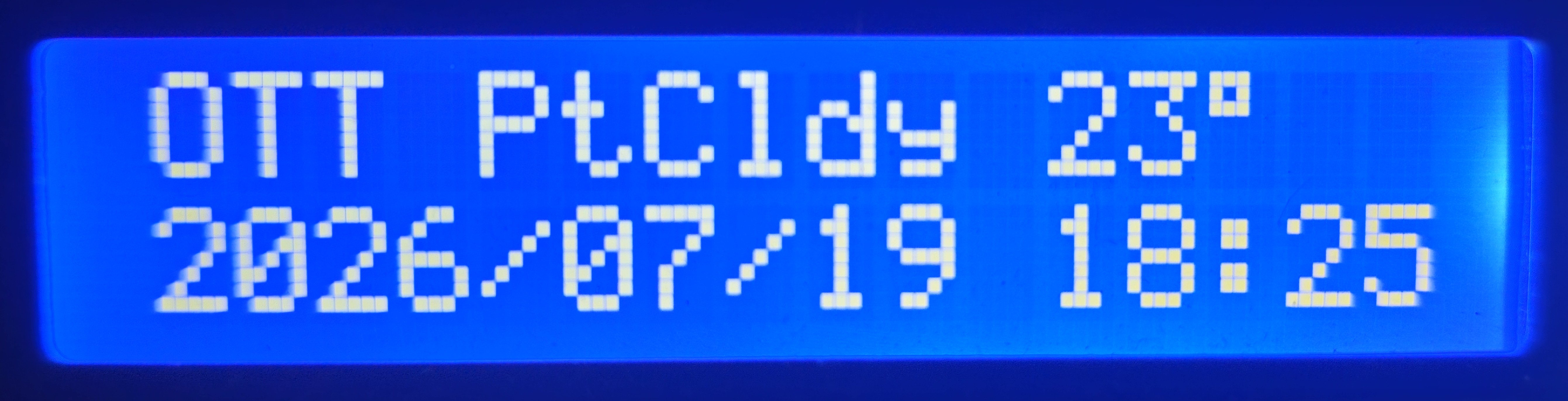
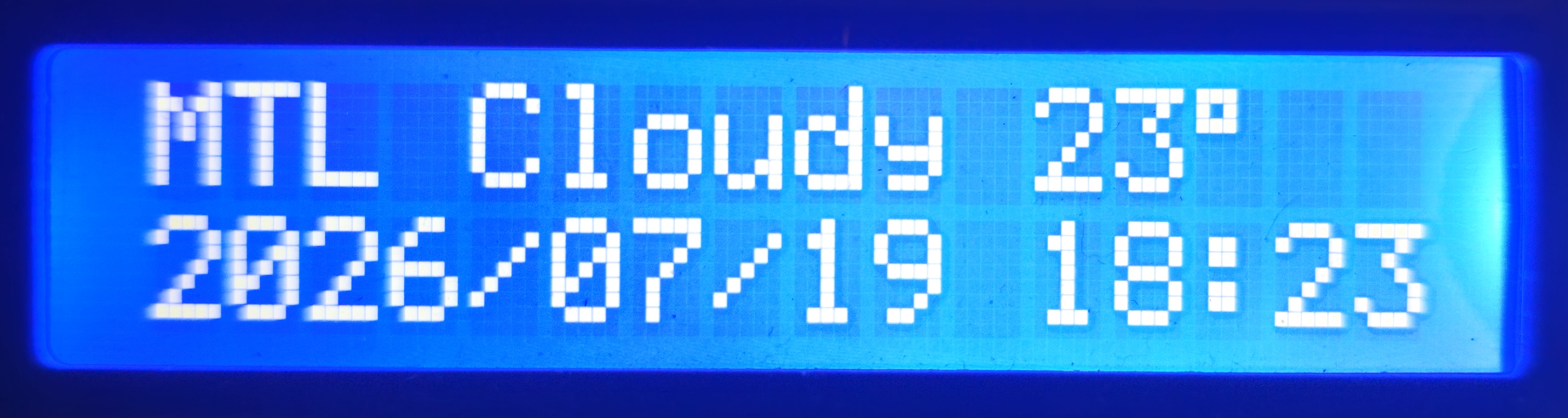
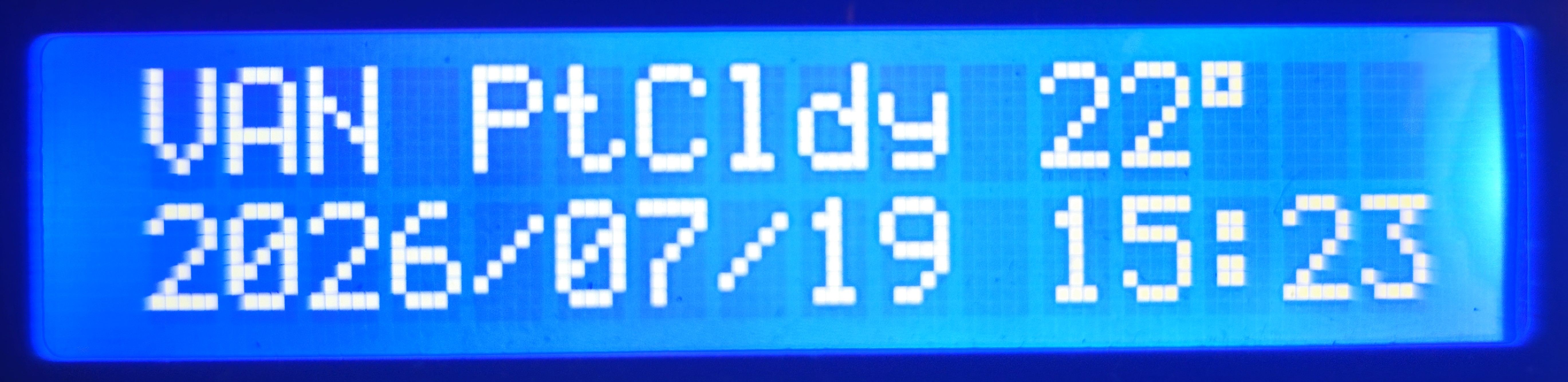
- Clock + weather: current conditions and local time for one of four preset Canadian locations, with date and time synced from the host and DST handled host-side
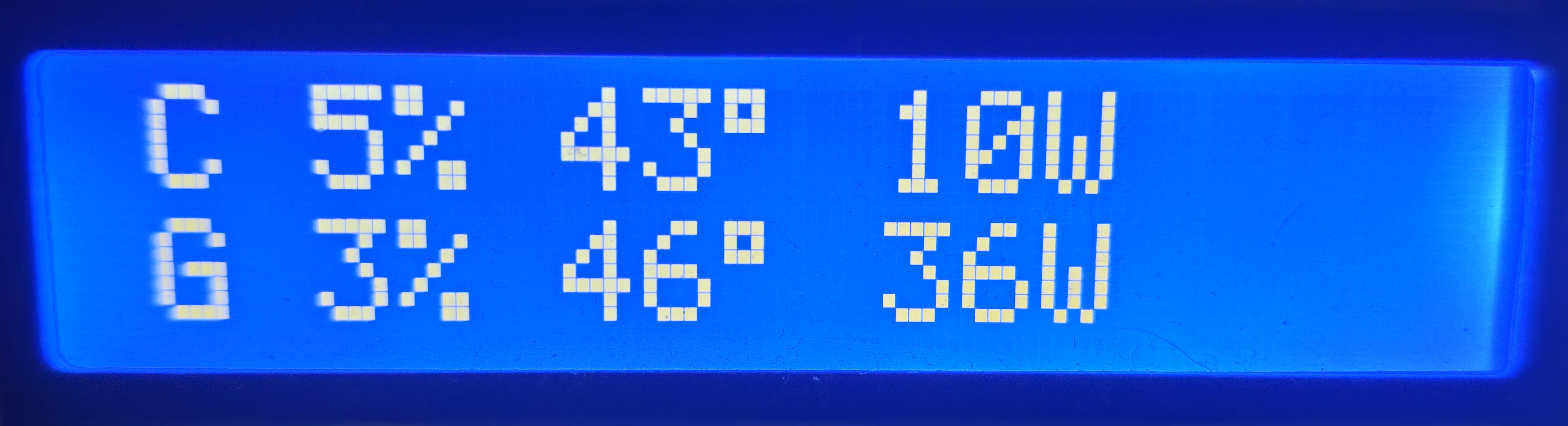
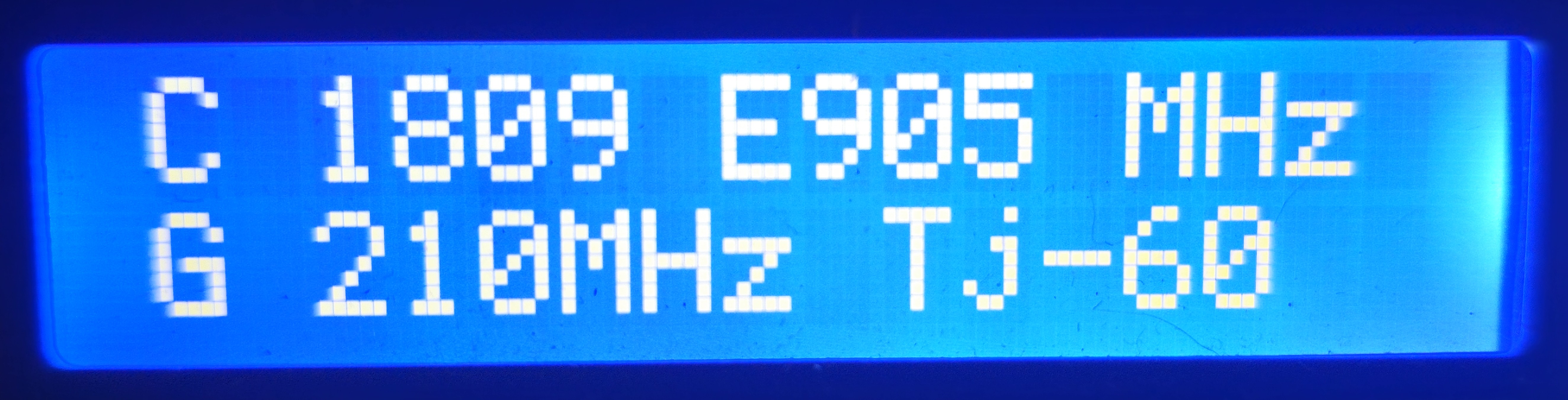
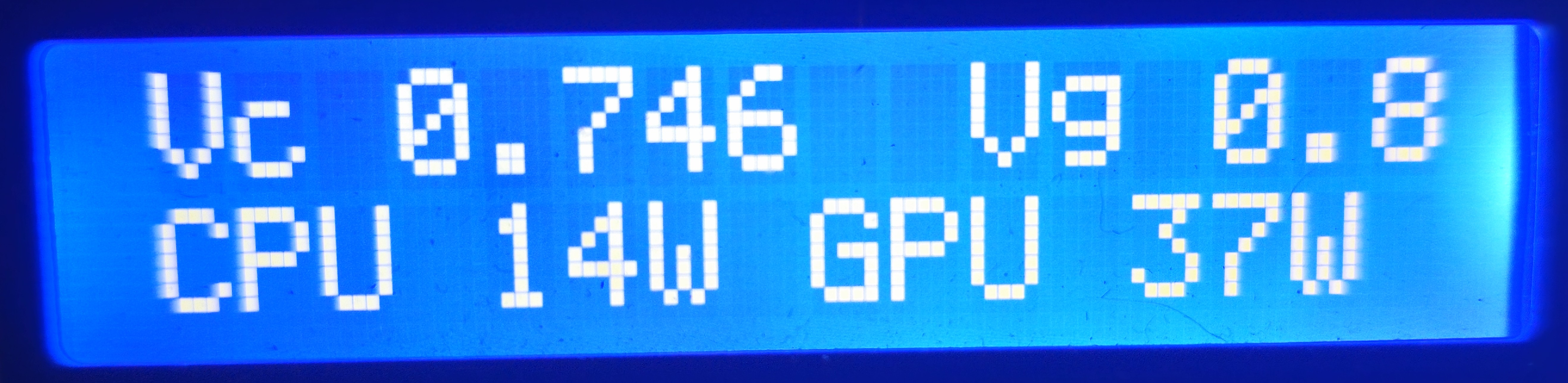
- PC stats: four cycling pages covering utilization, temperatures and package power, memory, clock speeds, and voltages
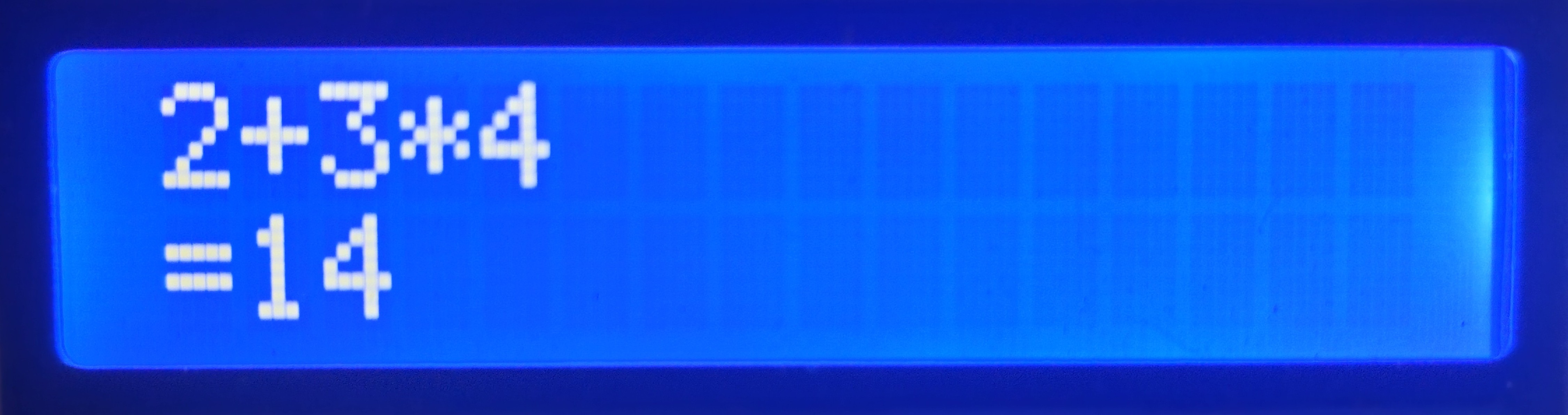
- Calculator: + - * / with standard precedence, the expression scrolls on the top row and Enter shows the result
- Statistics: lifetime keypress count, persisted on the device itself

Design Decisions
The calculator owns its input. Each display view sets its own input policy. Most views pass keys straight through to the PC as normal typing, but the calculator captures digits and operators entirely, including suppressing their release events, so nothing leaks to the host while it is active. Expressions evaluate with standard precedence on Enter, and results too wide for the row fall back to scientific notation.
Stat rows are composed on the host. LibreHardwareMonitor's numeric sensor indices shift between versions, so the companion selects sensors by hardware prefix and display name and sends each stats row as a finished 16-character line. The firmware renders those lines verbatim, which means adding or reworking a stats page is a host-only change and never requires reflashing the device.
The display never blocks the keys. A full LCD line write costs roughly 50 ms over I²C, so unconditional redraws would starve input. Rendering is dirty-flagged, the firmware writes to the LCD only when a line actually changes, overwrites fixed-width lines instead of clearing the screen, and runs with no sleep calls in the main loop.
Flash is treated as a consumable. The lifetime keypress counter and LED brightness persist on the Pico's internal flash, and writes are batched, every 100 keypresses, plus immediately after brightness changes and when the device goes idle, to keep wear bounded. Holding NumLock while plugging in starts a development mode that leaves the drive writable from the host and disables persistence.
Physical Construction
The prototype is deliberately hand-built rather than assembled on a PCB. Hand-wiring let the electrical design, the firmware, and the enclosure be developed and validated together as a system before committing to a dedicated board layout, which is planned as the next hardware revision.
The 17 keys are wired as a 5×4 matrix with a 1N4148 diode at every switch to eliminate ghosting. The matrix layout and every diode's orientation were verified with two small bring-up utilities included in the repository, one that maps each keypress to its row and column and one that runs a bidirectional scan to catch missing or reversed diodes.
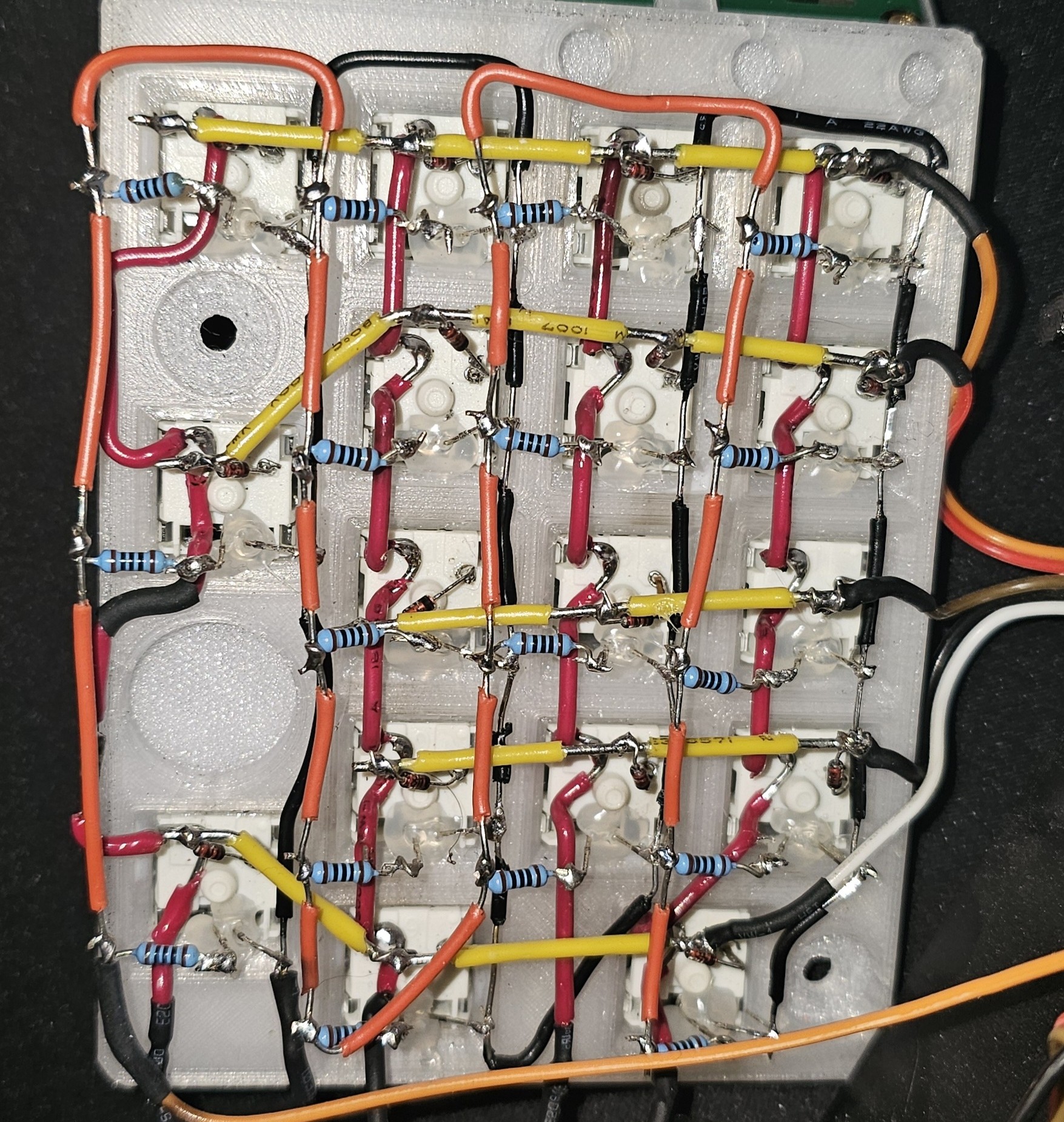
The two-piece enclosure was modeled from scratch in Fusion 360 and printed on a Bambu Lab X1 Carbon, PETG for the structural parts and translucent polycarbonate for the light-diffusing shell, with the LCD mount and switch plate integrated into the print. Gateron KS-9 G Pro Black linear switches sit under translucent POM keycaps, and a discrete white LED under each key shines through the diffusing plastic. Brightness is adjustable from the Fn layer and persisted across power cycles, and the lighting and LCD backlight time out together after five minutes of inactivity.
Next Revision
The hand-wired build has done its validation job, so the next major revision is planned as a dedicated two-layer PCB with USB-C integrated into the enclosure, user-configurable key mapping and macros, and per-key RGB lighting. None of that exists yet, it is a specification informed by everything the prototype surfaced.
Source
The complete project is on GitHub, including the CircuitPython firmware, the host companion and its Windows autostart setup, the matrix and diode bring-up utilities, and build documentation: github.com/blafr103/pico-numpad.